
Why?
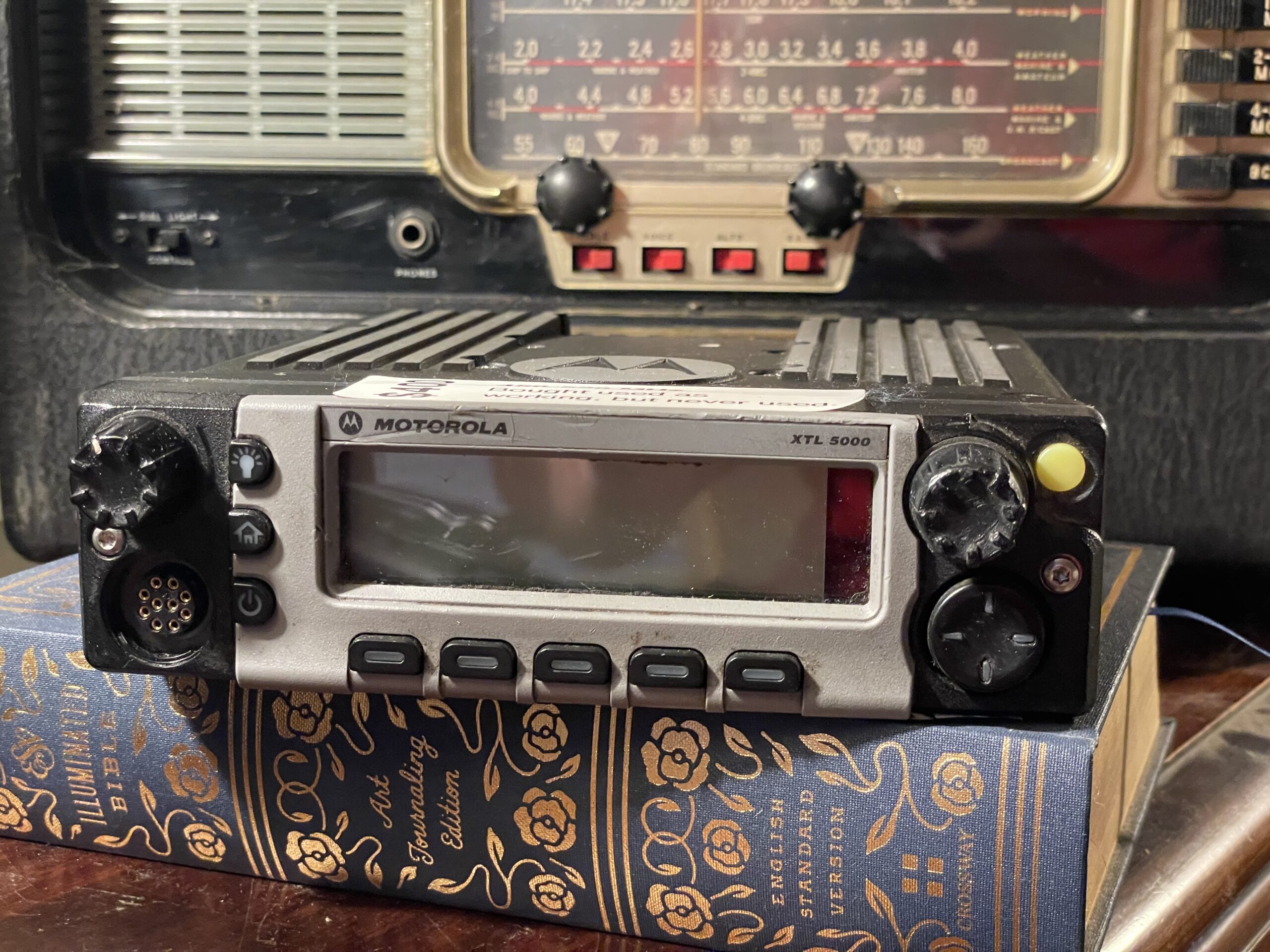
I mean, if you’re reading this, you probably already know. But the idea is that the ASTRO25 radios (Motorola XTL mobiles, and the XTS portables except the 3000, which is out of scope for this post) were designed with the hardware tuned for a certain range, but the actual enforcement of that limit only takes place in the programming software (CPS). You can push those bounds a bit wider.
There are, of course, limits. All the hardware is tuned for a specific range. You can bring a 450-520 MHz radio down into the 440 MHz range with great performance, and the 900 MHz radios will do the 900 MHz ham band fine. But as you move further outside the range, you’ll get degraded performance, and then VCO won’t lock–that is, the radio won’t work.
Hex Editing: Background, and the hard way
People make this way harder than it has to be. Let’s start with a screenshot:
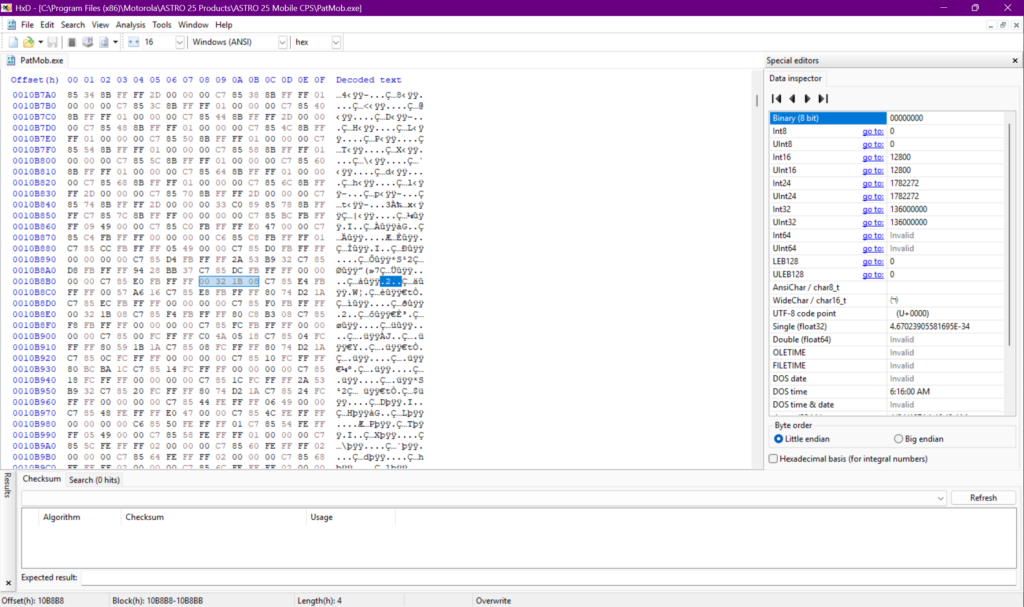
This is using the HxD hex editor to edit PatMob.exe, the ASTRO25 mobile software. In the main portion of the screen, you’ll see 00 32 1B 08 highlighted, and then .2.. also highlighted on the right. Scary, arcane stuff, right?
A hex editor is normally used for editing things that aren’t text. Computer programs are compiled into binaries, but no one can stare at a long string of 0s and 1s and make any sense of it. A hex editor instead shows a byte at a time: values 0 through 255, but represented as two hexadecimal digits, 00 through ff. So, here we have four bytes in hexadecimal. The .2.. is nonsense: under “Decoded text”, it tries interpreting each byte as an ASCII character. 32 is the only thing there that’s a printable ASCII character, corresponding to the number 2. But we’re not looking at ASCII, which is why it looks like gibberish. (You will come across strings of text used in the application if you scroll through.)
If you look to the left of the line with the highlights, you’ll see the offset: 0010B8B0. That’s our position in the file, also expressed in hexadecimal. Sometimes you’ll see instructions to go to a certain offset and change a certain value.
But, all of this is terribly arcane. What do any of these numbers mean?
Take a look at that “Data inspector” view on the right. 00 32 1B 08 as a series of bytes means nothing to me or you, but take a look at the “Int32” and “UInt32” values: as a 32-bit integer, it means “136000000” to the computer. That’s 136,000,000. And, hmm, the VHF radios cover 136-174 MHz. This is one of the instances of that 136 MHz lower limit.
So, if you were making one of the confusing guides to hex-editing VHF radios, you could list that offset and set of bytes. But there are several, and this sucks.
The Easy Way
I generated that previous screenshot by pressing Ctrl+F and selecting the “Integer number” tab, and entering 136000000, and letting it show the first result. The computer can easily convert between integers and hex; my brain cannot. So let it do the searching.
But there’s another view. Instead of Ctrl+F, do Ctrl+R, for a search and replace view.
Here, I’m searching for 450000000 (450 MHz), and replacing it with 440000000 (440 MHz):
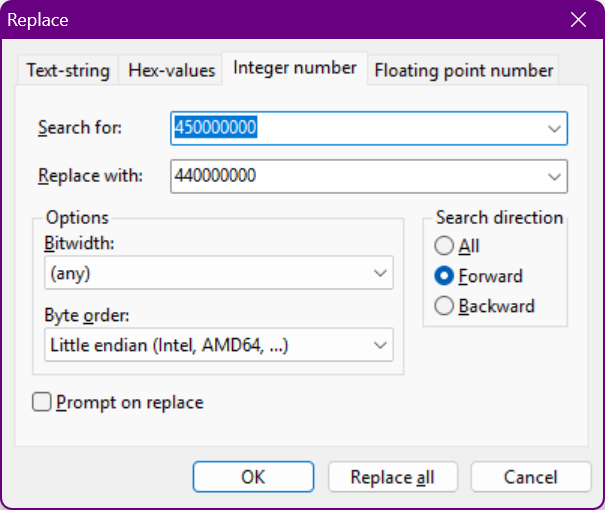
Then, press “Replace all”.
Then, save your changes and exit.
Strictly speaking, this might not be completely safe. We’re modifying the application doing a replace-all on a sequence of four bytes. This could be a clbuttic mistake with search-and-replace run amok. The tricky part is that, since it’s a binary file, it’s hard to know the meaning of these.
But, in practical terms: it works for me.
If you’re doing this, open up HxD and then use it to open the programming software. For me, this is under C:\Program Files (x86)\Motorola\ASTRO 25 Products\, navigating into the appropriate folder (for mobile or portable), and then PatPort.exe or PatMob.exe.